
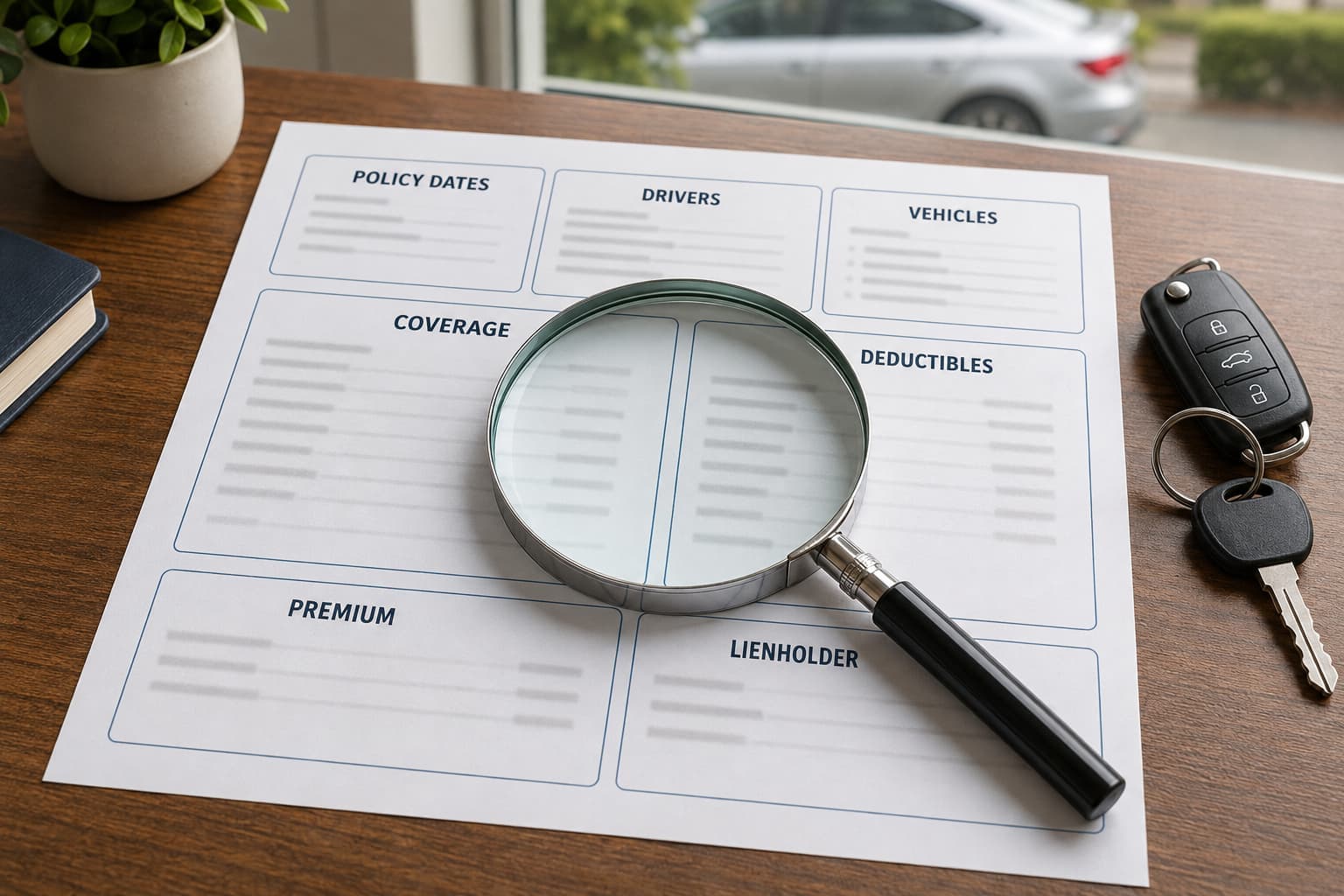
Your car insurance policy may arrive as a long packet filled with coverage terms, conditions, and exclusions. The declarations page is where most people should begin.
Often called a “dec page,” the car insurance declarations page summarizes the most important details of your policy. It usually shows who and what is insured, when the policy is active, which coverages were selected, and what the policy costs.
It is a useful page to check when you purchase insurance, renew a policy, finance a vehicle, or compare a new quote. Here is how to read it and what each section means.
Where Can You Find the Declarations Page?
The declarations page is usually located near the beginning of your policy documents. Depending on the insurance company, it may be one page or several pages.
You may receive it:
- By email when the policy begins
- By mail with the policy documents
- Through the insurance company’s website
- Through a customer portal or mobile app
- From your insurance agent
Some companies use a different name, such as “coverage summary” or “policy information page,” but the document serves the same basic purpose.
Cheapest Auto Insurance customers can access their declarations page through the Client Portal or mobile app, where it can be viewed, downloaded, or printed.
1. Named Insured and Policy Address
Start with the name and address shown near the top of the page.
The named insured is the person who owns the policy. If two people are named insureds, both names may appear. This section may also include the mailing address and the address where the vehicle is normally kept.
Check that:
- Each name is spelled correctly
- The mailing address is current
- The garaging address is correct
- Any other contact information is current
The garaging address matters because insurance companies may consider where the vehicle is normally kept when determining the rate.
2. Insurance Company and Policy Number
The declarations page identifies the insurance company that issued the policy. If the policy was purchased through an agency, the agency’s name and contact information may also appear.
You should also see a policy number. Keep that number available when:
- Calling about the policy
- Making a payment
- Requesting a policy change
- Reporting a claim
- Sending insurance information to a lender
The policy number may also appear on the insurance card, but the declarations page provides the number alongside considerably more policy information.
3. Policy Effective and Expiration Dates
The policy period tells you when the policy begins and when the current term ends.
Look for:
- Effective date
- Effective time, when shown
- Expiration or renewal date
These dates are especially important when starting a new policy or switching companies. A payment receipt or quote does not replace confirmation of the policy’s effective date.
At renewal, compare the new declarations page with the previous one. Look for changes to the vehicles, drivers, coverage, deductibles, discounts, and premium.
4. Drivers Listed on the Policy
The declarations page may identify the drivers associated with the policy. Depending on the company and document format, it may also show how each person is listed.
Review the names carefully and contact the agency or insurance company if:
- A driver’s name is misspelled
- A household driver is missing
- Someone who no longer drives the vehicle remains listed
- A driver’s status appears different from what you expected
Driver treatment can vary by company and policy. Ask for an explanation if it is unclear how a particular person is listed.
5. Vehicles and VINs
Each insured vehicle should appear on the declarations page. The listing commonly includes:
- Vehicle year
- Make
- Model
- Vehicle identification number
- Vehicle use
- Garaging information
- Lienholder, when applicable
Pay close attention to the VIN. A single incorrect character can identify the wrong vehicle.
If you recently replaced or added a car, check that the new vehicle appears and that the old one was handled as requested. The declarations page can help confirm that the requested policy change was processed.
6. Coverage and Limits
The coverage section shows which protections were selected and the limits that apply. The names and layout can vary by insurance company.
Depending on the policy, you may see:
- Bodily injury liability
- Property damage liability
- Uninsured or underinsured motorist coverage
- Medical payments coverage
- Comprehensive coverage
- Collision coverage
- Roadside assistance
- Rental reimbursement
Liability limits may appear as a group of numbers. For example, Oklahoma’s minimum liability limits are commonly written as 25/50/25. These numbers represent the bodily injury liability limit per person, bodily injury liability limit per accident, and property damage liability limit per accident.
The declarations page is also a helpful place to check whether a vehicle has comprehensive and collision coverage. These are commonly included when people refer to “full coverage,” although full coverage is not a standardized policy name.
7. Comprehensive and Collision Deductibles
If a vehicle carries comprehensive or collision coverage, the declarations page should show the applicable deductible for each.
The deductible is the amount that may be your responsibility when it applies to a covered claim. Comprehensive and collision can have different deductibles, so check them separately.
For example, a policy could show:
- $250 comprehensive deductible
- $500 collision deductible
If the vehicle is financed or leased, check that the selected deductibles meet the lender’s requirements.
8. Premium, Discounts, and Surcharges
The declarations page may show the total premium for the policy term and how the cost is divided among vehicles or coverages. It may also list discounts or surcharges applied to the policy.
Possible discounts could include:
- Multiple vehicles
- Previous insurance
- Automatic payments
- Paid-in-full
- Homeownership
- Approved driver programs
The total policy premium is not necessarily the same as an individual monthly payment. A separate billing schedule may show the initial payment, later installments, and any payment-plan fees.
9. Lienholder or Loss-Payee Information
When a vehicle is financed or leased, the lender may be listed on the declarations page as the lienholder or loss payee.
Review:
- Lender’s name
- Lender’s address
- Vehicle connected to the loan
- Loan or account information, when shown
Lenders frequently request a declarations page because it provides more coverage information than a standard insurance card. If the lienholder information is missing or incorrect, contact the agency or insurance company.
What the Declarations Page Does Not Show
The declarations page is a summary, not the complete insurance contract.
It may show that a coverage was purchased, but it generally will not explain every definition, condition, exclusion, or claim requirement connected to that coverage. Those details are found in the policy form and endorsements.
For example, seeing rental reimbursement listed confirms that the policy includes that coverage. The complete policy language explains when it applies, its limits, and any restrictions.
The Oklahoma Insurance Department recommends reviewing the declarations page along with the policy forms and endorsements to understand the policy more fully.
Declarations Page vs. Insurance Card
The declarations page and insurance card serve different purposes.
An insurance card provides basic proof that a vehicle has insurance. It usually shows the insurance company, policy number, vehicle, and policy dates.
The declarations page provides a more detailed summary, including coverage limits, deductibles, premium information, drivers, vehicles, and lienholder information.
For that reason:
- Keep the current insurance card available in the vehicle or digitally.
- Use the declarations page when reviewing coverage or comparing policies.
- Provide the document requested when a lender, dealership, or other organization asks for insurance information.
An insurance card alone generally does not provide enough information for a complete coverage comparison.
When Should You Review Your Declarations Page?
Check the declarations page:
- When a new policy begins
- When the policy renews
- After adding or removing a vehicle
- After adding or removing a driver
- After moving
- After changing coverage or deductibles
- When financing or paying off a vehicle
- Before comparing another insurance quote
When comparing quotes, use the current declarations page to help request the same coverage limits and deductibles. That makes it easier to understand whether a new price is lower because of the rate or because the quote contains different coverage. There are several reasons car insurance quotes differ between companies, so matching the policy details matters.
What Should You Do If Something Looks Wrong?
Call the agency or insurance company and explain what appears incorrect. An agent can review the policy and let you know whether a change is needed.
After the update is processed, request or download a new declarations page and check it again. Keep the corrected version with your current policy documents.
Your Declarations Page Is Worth Checking
The declarations page is one of the most useful parts of a car insurance policy. It brings the policy number, dates, drivers, vehicles, coverage, deductibles, premium, and lender information together in one place.
Reviewing it takes only a few minutes. Those few minutes can help you spot an incorrect VIN, outdated address, missing vehicle, unexpected deductible, or coverage that differs from what you requested.
Cheapest Auto Insurance customers can retrieve their declarations page through the Client Portal or mobile app. If something is unclear, contact us and an agent can help explain the information shown.
Frequently Asked Questions
Is a declarations page the same as proof of insurance?
Not exactly. An insurance card is commonly used as proof of insurance while driving. A declarations page provides a more detailed summary of the policy, including coverage limits, deductibles, vehicles, drivers, and premium information.
Does a declarations page show whether I have full coverage?
The declarations page shows the coverage selected for each vehicle. Look for comprehensive and collision coverage in addition to liability. Because “full coverage” is not a standardized policy name, verify the individual coverages listed.
Why does my lender need a declarations page?
A lender may use the declarations page to confirm that its vehicle is listed, the required comprehensive and collision coverage is present, the deductibles meet its requirements, and the lender is included on the policy.
Should I use my declarations page when comparing quotes?
Yes. It can help you request matching liability limits, deductibles, vehicles, drivers, and optional coverage. This creates a more useful comparison between your current policy and a new quote.
Where can I find my declarations page?
Look near the beginning of your policy documents or sign in to your insurance company’s customer portal or app. You can also request a copy from your insurance company or agent.